

Our own · MooneyRunning (our own)Google Play ↗usemooney.app ↗
Log an expense in the time it takes to say it.
Mooney is an Android expense tracker, live on Google Play, built and run by OCTYN. You say one sentence and a categorised transaction is saved, end to end in under five seconds on a live network. Speech and intent run on outside services, and every call to them goes through OCTYN’s server, never straight from the phone.
For your product teamInside: speech recognition · transaction parsing · fallback chain
The app, as it runs.
Running, and ours: Mooney is on Google Play and OCTYN operates it. These are the app's own store screenshots, in its own colours. Nothing here is a demo.
In shortSay one sentence and a categorised transaction is saved, in under five seconds from the end of speech on a live network.
- Hold to speak, say one sentence.Speech to a saved, categorised row lands in under five seconds on a live network.Read how
- A fast pass reads it, a careful one backs it up.The slower pass runs only when the fast one is unsure, and two more sit behind it.Read how
- A receipt is read the same way.If a pass fails, the next one takes it. The last answer is a plain tap to retry.Read how
- Local on the phone, outside calls through our server.No key ships in the app, and every outside call goes through one of sixteen server functions.Read how
The deep dive.
The same app, taken apart: what each screen does, the stages behind a spoken sentence, one sentence walked end to end, and where it does not go straight through.
Logging by hand costs more than the expense.
People stop logging expenses because typing one in costs more than the expense is worth. Say one sentence, get a categorised transaction, and the habit survives.
The constraint was the phone. Mooney is Android, where the microphone has to work from a home screen widget without opening the app, and every outside service sits on a free tier with a hard ceiling. First commit was 2026-04-10.
Android will not run an app and its widget as one unit, so the widget microphone runs in a process of its own. It cannot open the local database, because the main app holds the lock, and it has no signed-in session.
The app, taken apart.
Four screens from the app’s own store listing. Here is what each region does, and what sits behind it.
Four screens, one habit.
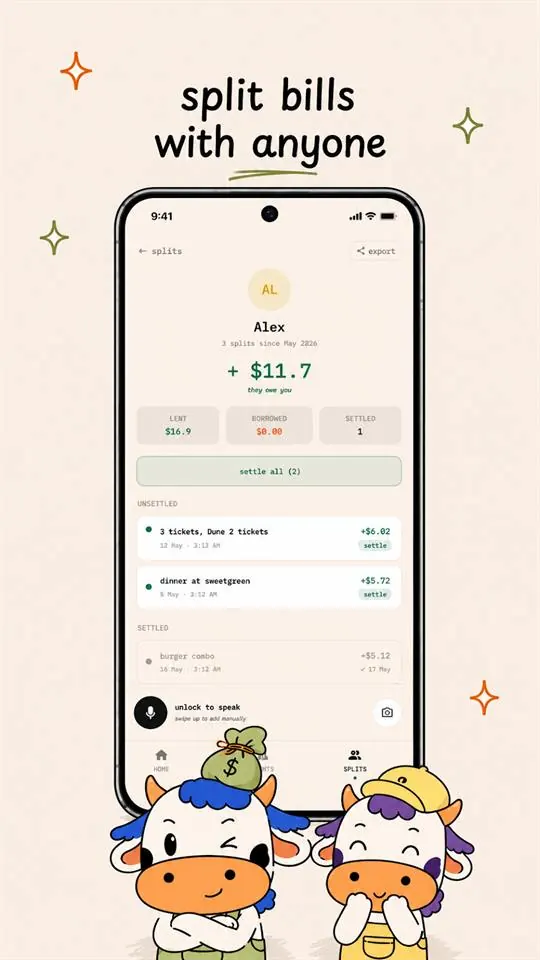
Capture, the month, a receipt and a split sit side by side here. Logging an expense by hand costs more than the expense is worth, so people stop. Mooney is built so that one spoken sentence is the whole job.
- The app
Four screens, one habit.
Capture, the month, a receipt and a split sit side by side here. Logging an expense by hand costs more than the expense is worth, so people stop. Mooney is built so that one spoken sentence is the whole job.
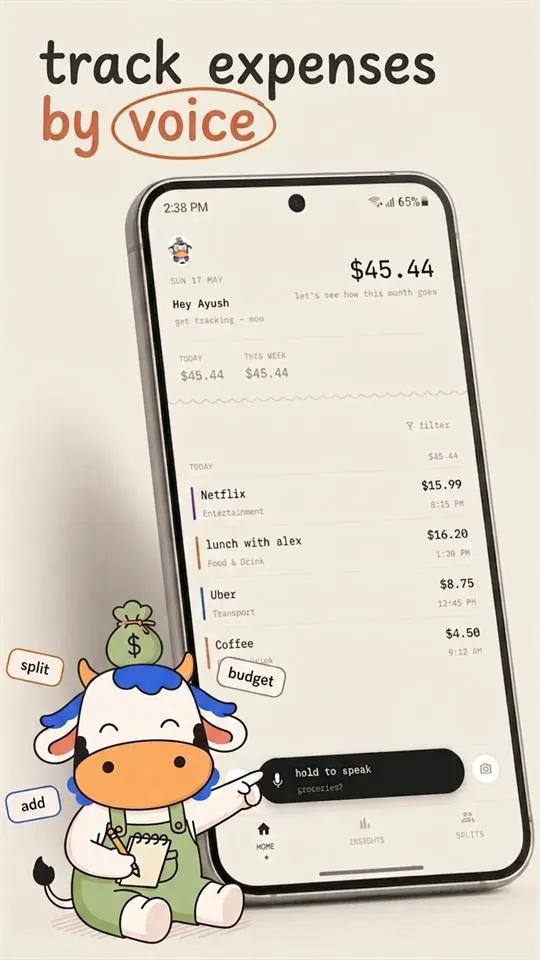
- Capture · Hold to speak
One button, and the microphone is open.
Hold to speak records the audio. The microphone also works from a home screen widget, without opening the app, which is why it runs in a process of its own on Android.
- Capture · The ledger
The sentence lands as a categorised row.
Speech goes through a recognition pass tuned for the local spoken form of numbers and currency words, then a fast text pass that reads the intent. The saved row sits in a local store, so every feature works with no network.
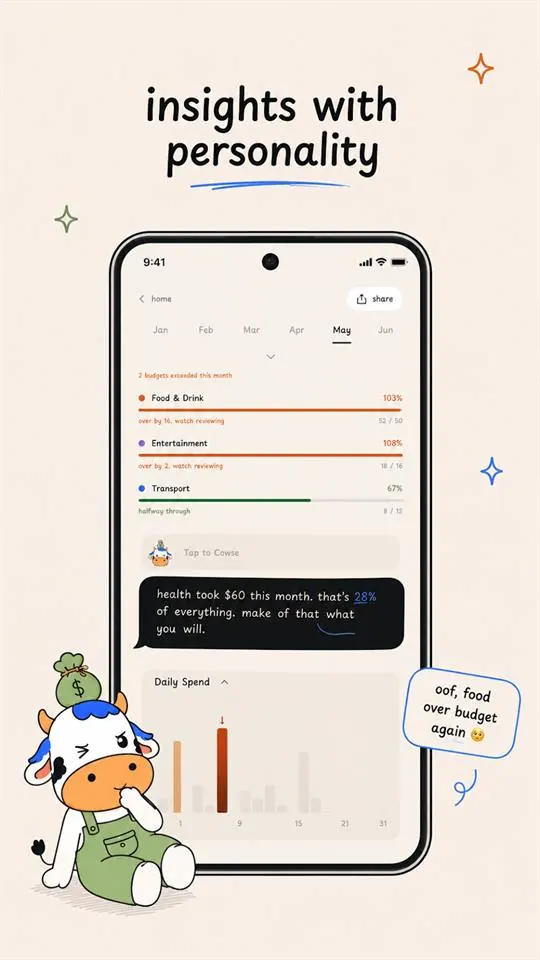
- Insights · The month
The month, from the same local store.
The spending breakdown reads what was logged. It is the app's own screen on its own data, in its own colours, and it works the same with no network.
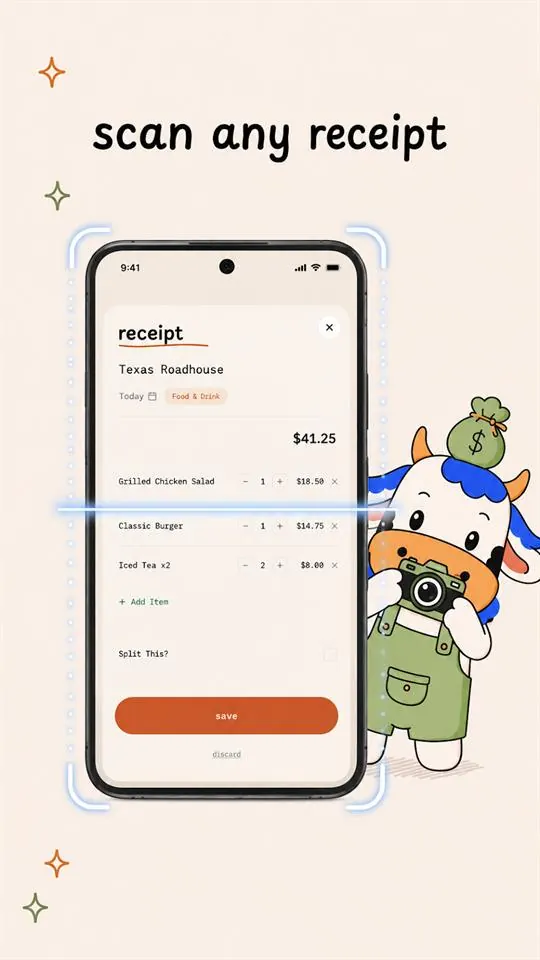
- Receipt · The scan result
A scanned receipt, before it is saved.
Receipt reading runs on the device first. When a pass fails, the next takes it, and the last answer is a plain message the app renders as: couldn't parse, tap to retry.
How each region works.
The app is running. These figures draw what the write-up records: the speech chain, the stages behind parsing and receipts, and the server seam. They are drawings, not recordings of the app.
How a sentence becomes a row.
- 01HoldThe button is held.
- 02RecordAudio is recorded.
- 03HearThe speech pass makes text.
- 04ParseThe fast pass reads the intent.
- 05SavedA categorised row is stored.
If the fast pass is unsure, a slower, more careful pass takes it.
One sentence goes in.
How parsing keeps answering.
- 01Stage 1 Fast model
- 02Stage 2 A bigger model
- 03Stage 3 Backup
- 04Stage 4 Second backup
A request comes in.
How a receipt is read.
- 01First pass The receipt is read
- 02Text only A text-only pass
- 03Second provider Another reader
- 04Plain error Couldn't parse, tap to retry
A request comes in.
Why no key is in the app.
Never a call from the phone to a provider.
From a held button to a saved row.
One spoken sentence through every stage the write-up names, with the region it touches on the capture screen.
The button is held.
Hold to speak opens the microphone, from the app or from the home screen widget.
- 01HoldThe button is held.
- 02RecordAudio is recorded.
- 03HearThe speech pass makes text.
- 04ParseThe fast pass reads the intent.
- 05SavedA categorised row is stored.
When a sentence does not go straight through.
- intent parsingfast pass: unsureslower pass: asked
The fast pass is unsure.
It escalates to the slower, more careful pass. The sentence is still read, only by a pass that takes longer.
- intent parsingkeys 1, 2, 3: coolingstage 3: answered
All three first-pass keys fail at once.
Parsing falls through a bigger model and two backups, so users see nothing wrong. Each key sits out a 60 second cooldown, and every hop is logged with the key and the reason.
A receipt cannot be read.
A text-only pass is tried, then a second provider. If both fail, the app shows: couldn't parse, tap to retry.
- speechkey 1: failedkey 2: failedno second provider
Both speech keys fail.
Speech has no second provider, so voice stops. That is known, deliberate and written down. It is on the list of what we would do differently.
The widget fires under memory pressure.
Android clears the cache directory exactly when widgets fire. The widget microphone runs in a process of its own, with no way to open the database and no signed-in session, so a naive version works in development and fails on a device.
- androidno exception raisedstore vitals shows it
An Android maker changes its behaviour.
Behaviour changes break the notification listener and the widget host silently. They arrive as a store vitals number, never as an exception, and they need a device on a cable.
- Hold to speakthe userCapture starts when they hold the button.
- Retry a receiptthe userWhen every pass fails, the app says so plainly and the user taps to retry.
- Halt a bad buildOCTYNRollback is a staged release, so a bad build stops at a percentage instead of being recalled.
- Which surface to open firstOCTYNA decision table names it per symptom, and a post-release smoke test fires a deliberate crash to confirm it still arrives.
What the record holds.
- ~50 installs
- Recorded 6 July 2026.
- 1.0.1+11
- Recorded 20 June 2026.
- 175 commits, first commit to public launch in about 87 days
- Recorded 10 April 2026 to 6 July 2026.
- 16 server-side functions in production
- Recorded 20 June 2026.
- 3-key intent-model pool, 28 requests per minute per key, 90 aggregate
- Recorded 25 April 2026.
- Roughly 1.4M voice turns per month of speech capacity on the two-key speech pool
- Recorded 25 April 2026.
- p95 voice latency not instrumented
- Recorded 14 September 2026.
- Who runs it
- OCTYN built it, shipped it to Google Play production and operates it. One person per incident, in practice.
- What we would do differently
- Instrument latency on day one, because the product claim is about speed and nothing measures it. Give speech a second provider. Build the on-device path first.
Something like this, for your company?
The first conversation is with the people who would build it. If there is a fit, the Consult comes next.